AI day-to-dusk real estate photo editing
Create a virtual twilight version of a daytime exterior from the photo you already have. Choose Virtual Twilight in the editor, then compare the result against the original before publishing.
Open the virtual twilight editor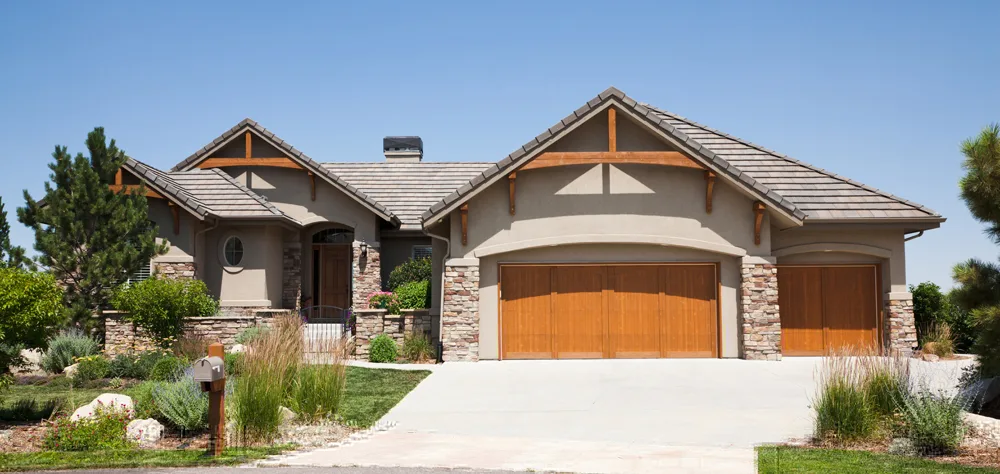 Daylight
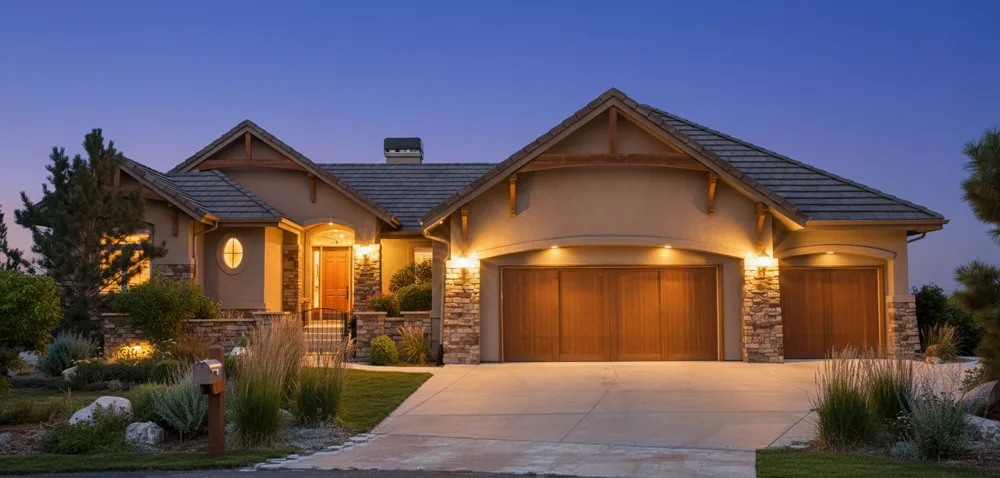 Virtual twilight
Start with a well-exposed exterior
Choose a sharp front or rear angle with an unobstructed view of the property. A daylight image with retained shadow detail is easier to judge after darkening than one with black shadows or harsh white highlights.
Plan to keep the daytime shot. Use it when buyers need a clear view of the roof, driveway or landscaping, and use the twilight edit as an additional angle in the listing gallery where allowed.
How to make a believable day-to-dusk edit
- Upload the daytime exterior and select Virtual Twilight.
- Compare siding, roof lines, fixtures, street and landscaping against the original. Inspect any new light or glow for shapes that suggest fixtures the home does not have.
- Download the twilight version and check how your MLS or listing platform asks you to disclose digital changes.
Common questions
Can I convert a photo taken on a cloudy day?
Yes. A sharp overcast shot with visible property detail can be a good starting point. Compare reflections, tree edges and the brightness of the sky to make sure the final lighting feels consistent.
When should I schedule an actual twilight shoot?
Choose a real twilight shoot when the exterior lighting design, an authentic sunset view or actual evening conditions are a selling point that buyers need to see accurately.